


DriveGadget Mini CarPlay Box – Wired to Wireless for CarPlay & Android Auto
DriveGadget Mini CarPlay Box – Wired to Wireless for CarPlay & Android Auto
Couldn't load pickup availability
-
Ordered
- - -
Order Ready
- - -
Delivered

DriveGadget Mini CarPlay Box – Wired to Wireless for CarPlay & Android Auto
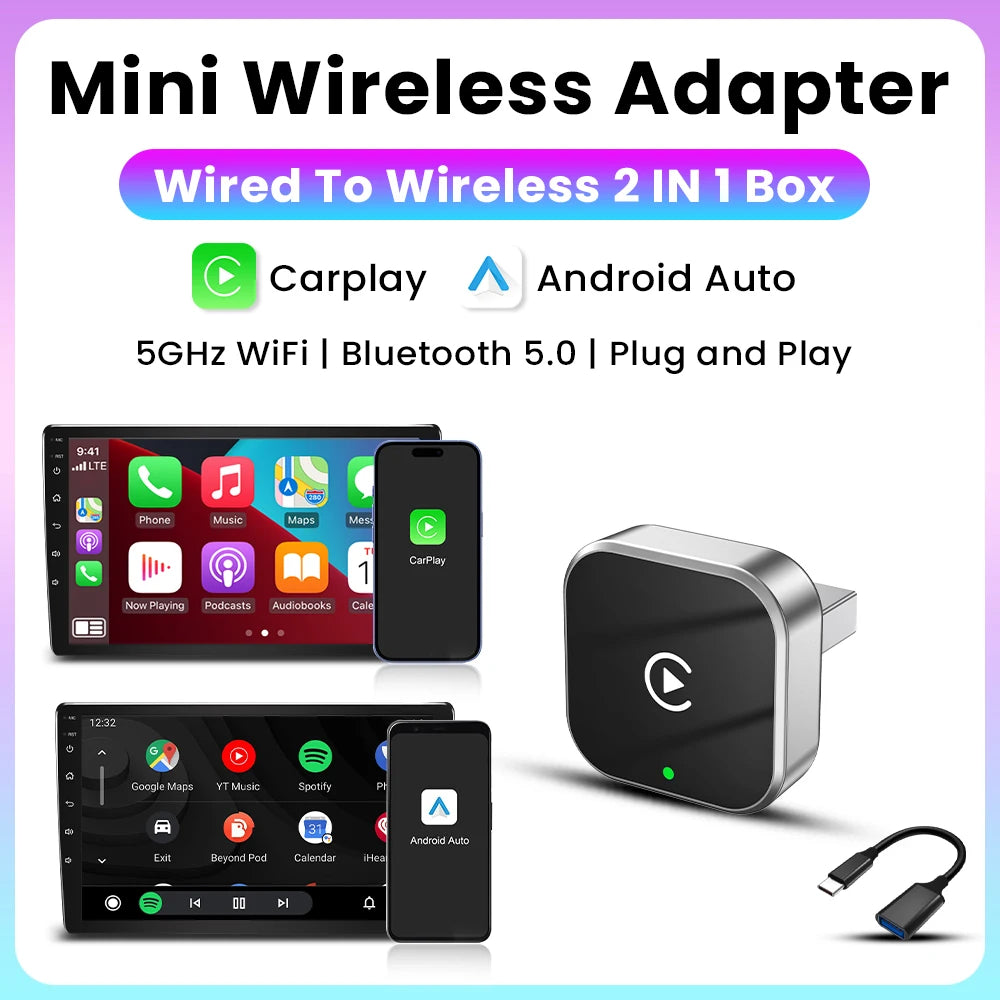
✨ Wireless CarPlay & Android Auto
Experience your smartphone apps completely wirelessly – directly on your vehicle's display.
🎒 Ultra-compact & portable
Lightweight, slim, and universally compatible – perfect for any vehicle.
🔌 True plug-and-play installation
Plug it in, pair it, and drive off – no modifications or technical expertise required.


Best Products For Your Cars


Video Recording
The product is equipped with 2 cameras in front of the car and inside the car (there are 2 lenses on one recorder product, excluding the rear camera) to comprehensively observe the front of the car, inside the car and road conditions.

Mini CarPlay Box
✨ Wireless CarPlay & Android Auto
Experience your smartphone apps completely wirelessly – directly on your vehicle's display.
🎒 Ultra-compact & portable
Lightweight, slim, and universally compatible – perfect for any vehicle.
🔌 True plug-and-play installation
Plug it in, pair it, and drive off – no modifications or technical expertise required.

Wireless Connections
With the wireless connection, you can use navigation, music, messages, and calls directly on the large HD screen – controlled by touch or voice assistant (Siri/Google Assistant). Installation is a breeze: attach the display, connect the power, and pair it – that's it. No disassembly, no workshop.
Happy Customers
Excellent 4.9 / 5
Collapsible content
Is this screen compatible with my car?
Is this screen compatible with my car?
Yes, it works with any car that has a 12V power source. No built-in CarPlay is required.
Do I need to install anything?
Do I need to install anything?
No complicated installation—just plug into power, pair via Bluetooth, and you're ready.
Can I use both CarPlay and the rearview camera?
Can I use both CarPlay and the rearview camera?
Yes. The device automatically switches to the camera view when you go into reverse gear.
Does this dashcam record in full HD?
Does this dashcam record in full HD?
Yes, it records 1080P Full HD videos with wide-angle coverage.
Does it record at night?
Does it record at night?
Yes, the night-vision sensor provides clear recording even in low-light conditions.
Does the dashcam require professional installation?
Does the dashcam require professional installation?
No. It easily mounts to the windshield and plugs into the car’s power port.
Will this work in my car?
Will this work in my car?
If your car already has factory-wired CarPlay, this device upgrades it to Wireless CarPlay.
It also supports Android Auto on compatible vehicles.
How do I use Wireless Carplay?
How do I use Wireless Carplay?
1.Connect the USB box to the car’s USB port.
2.Check the Bluetooth name “Smart Dongle-XXXX” that appears on the car’s screen.
3.Turn on your phone’s Wi-Fi and Bluetooth, and connect using the Bluetooth device name.
Does it support Android phones?
Does it support Android phones?
Yes, it supports Wireless Android Auto for compatible devices.
Track your order
Please enter you tracking number below. If your tracking number doesn't work feel free to contact us at badryassin428@gmail.com